
Verify every turnover
Works todayKnow when each unit is ready for the next guest
Send cleaners a property checklist after check-out, collect completion and photos, and give the operator a clearer readiness view.
Availability depends on the channels, data and features configured for your operation.
See it working
Carmen answers with the booking in front of her
Illustrative conversation with example booking data; it does not establish a live connection for your property.
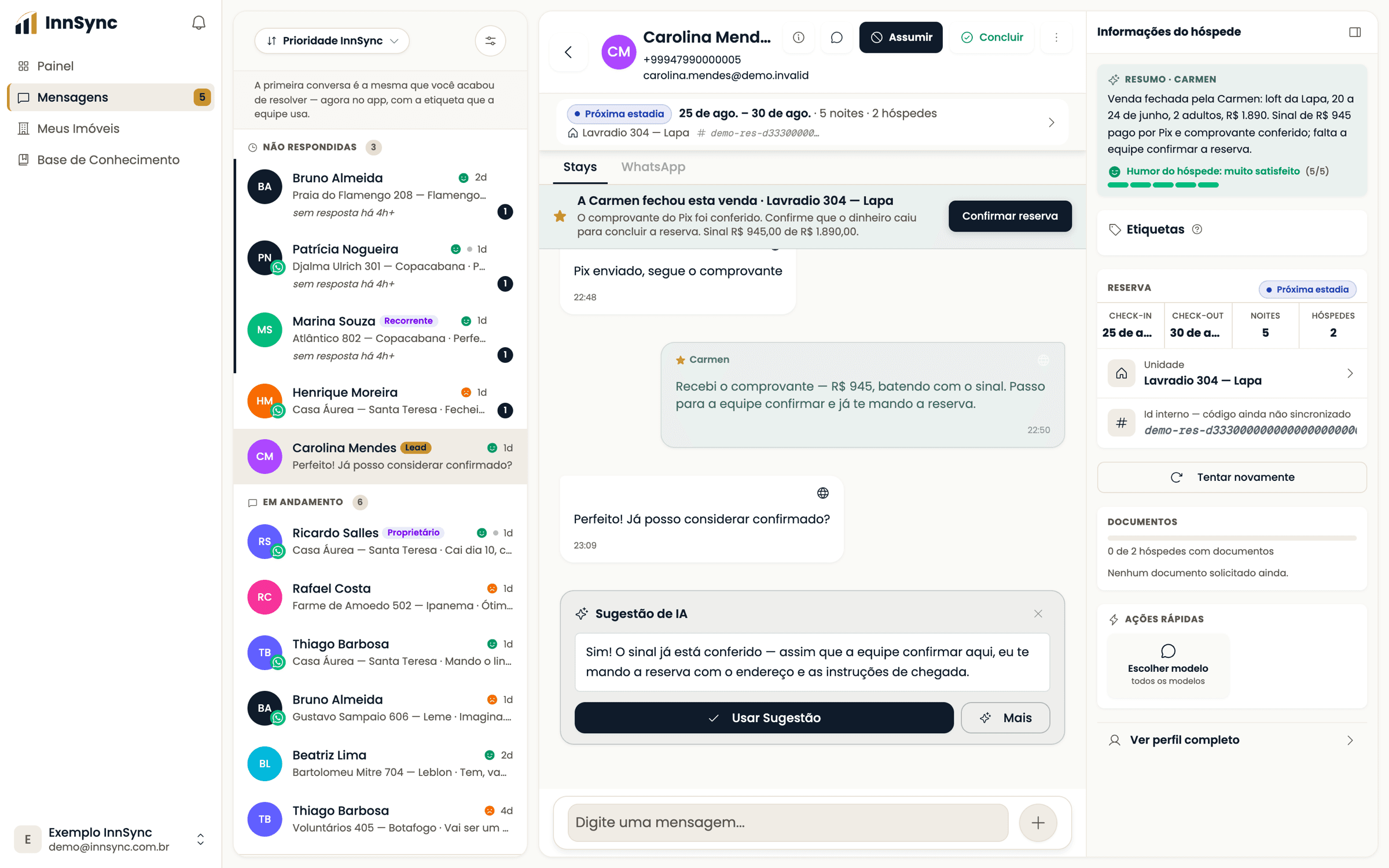
The whole screen, with the guest panel open.
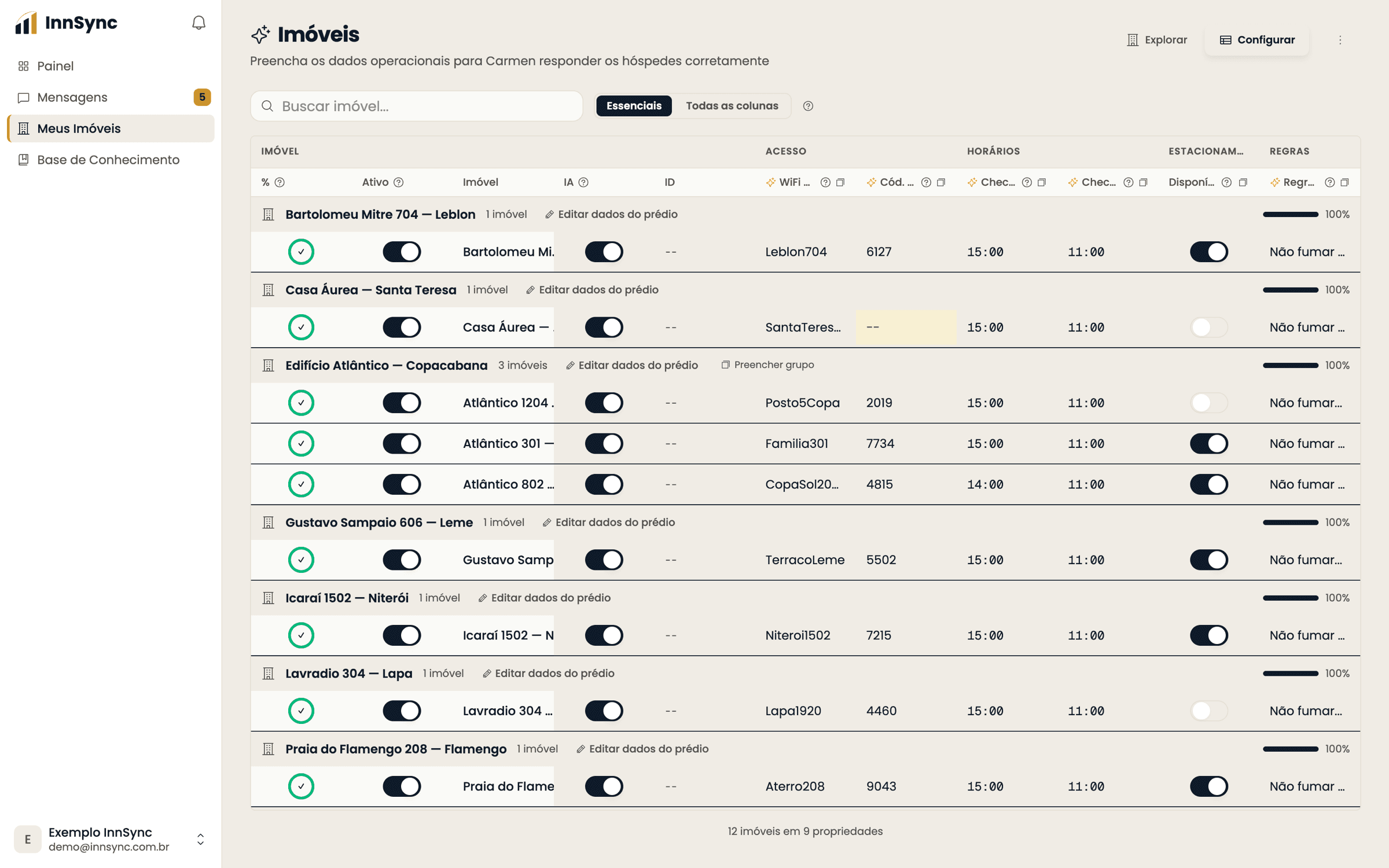
Properties grouped by building — this is where the answers come from.
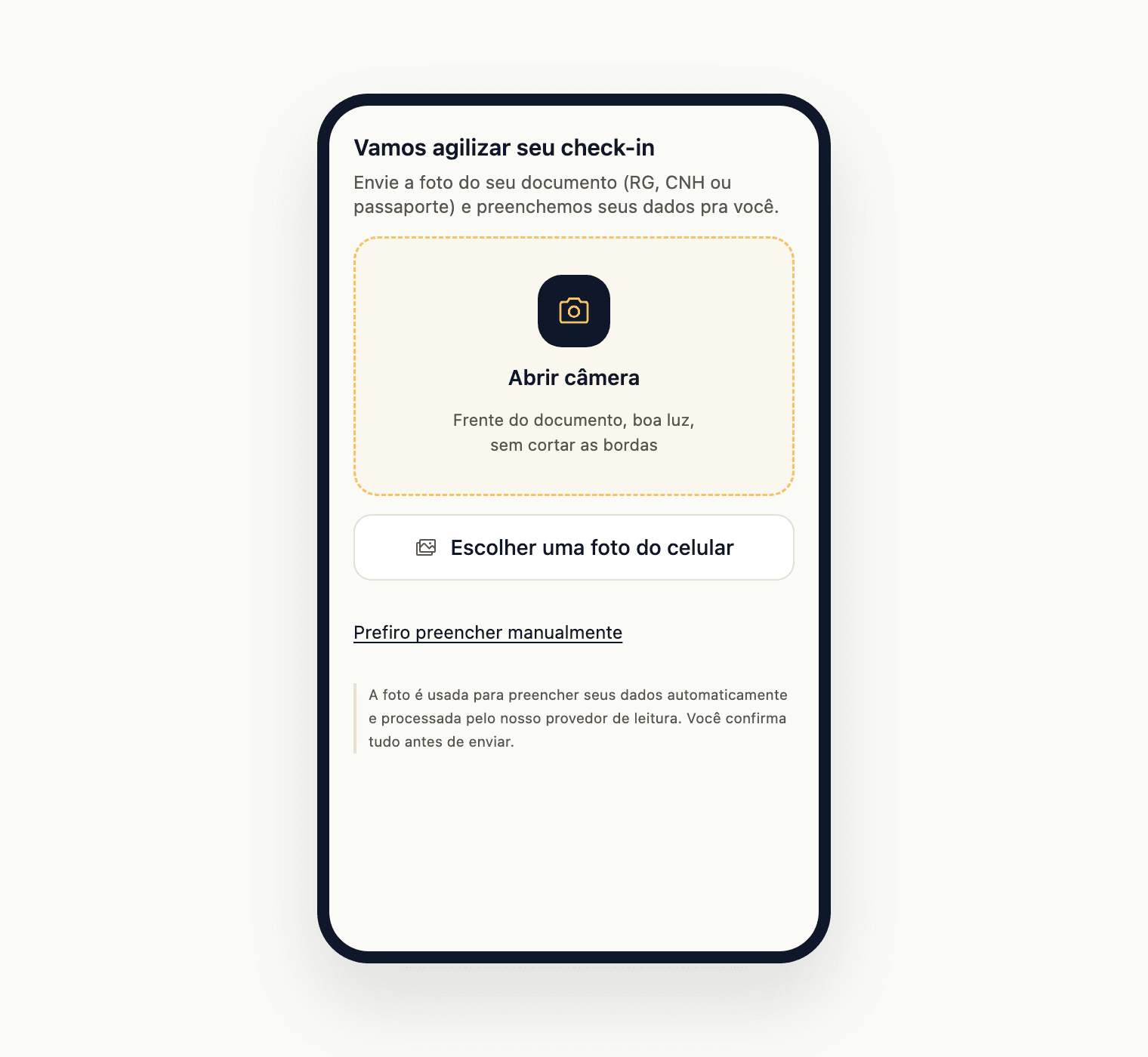
The guest check-in, from their own phone.
Real screens from the product. The interface also runs in English.
What you get
Checkout-triggered tasks
InnSync triggers a property-specific turnover checklist after check-out, reflecting the unit’s tasks.
Mobile completion record
Cleaners open a phone link, mark items complete, and can log a photo without installing an app.
Ready-unit visibility
Operators can see whether a unit is ready before the next arrival and follow up on incomplete items.
InnSync has become essential to our growth.
 Daniel and Thales at QuarterShort-term rental management
Frequently asked questions
Start with your property
Create your account and tell us how you manage bookings. Connections depend on the setup available for your operation.
Creating an account does not activate channels or migrate bookings.