
Answers with live context
Works todayGuest answers grounded in your live PMS data
Carmen reads booking details, availability, rates, and property rules before replying. Your team stays in control through Review Mode.
Availability depends on the channels, data and features configured for your operation.
See it working
Carmen answers with the booking in front of her
Illustrative conversation with example booking data; it does not establish a live connection for your property.
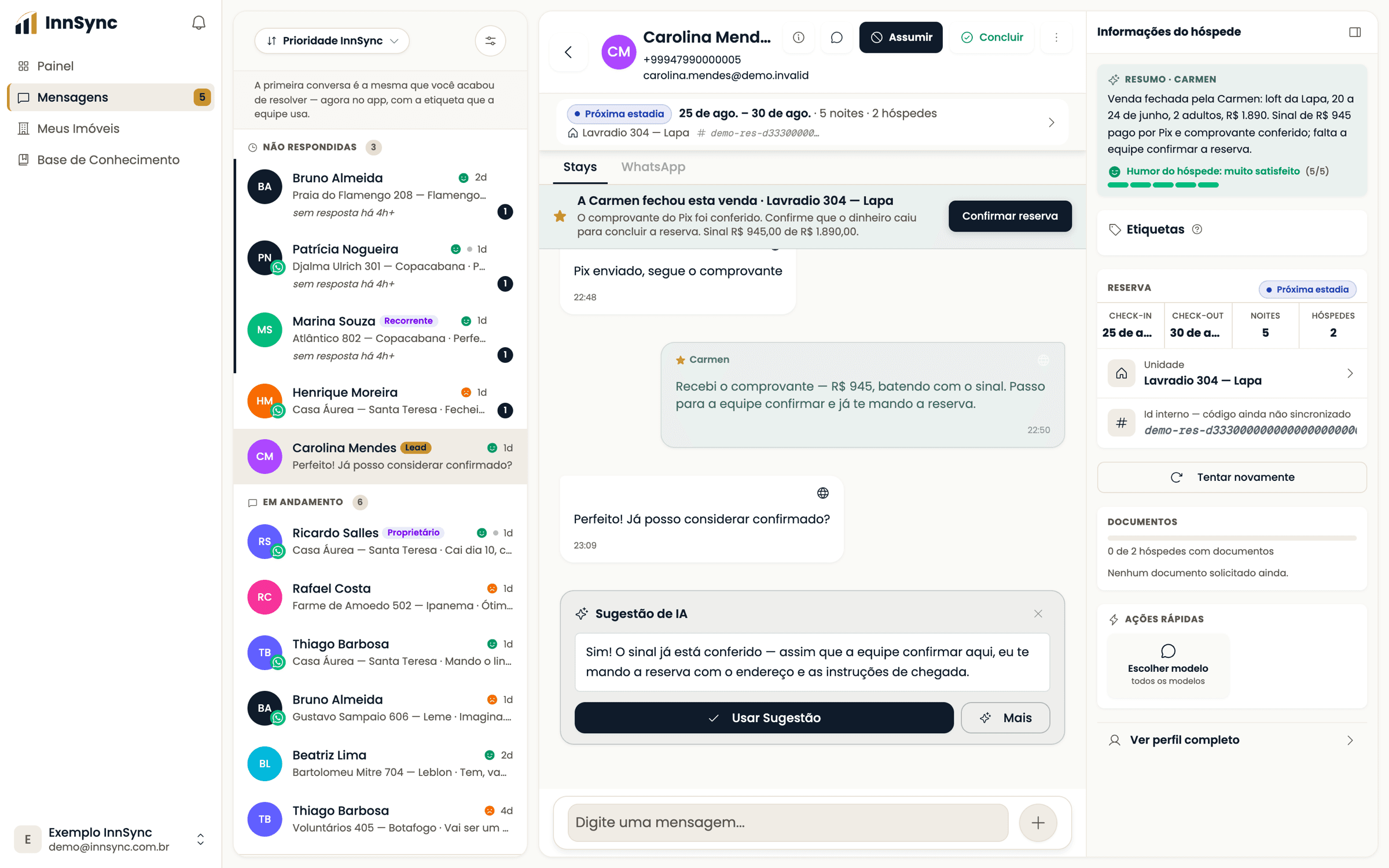
The whole screen, with the guest panel open.
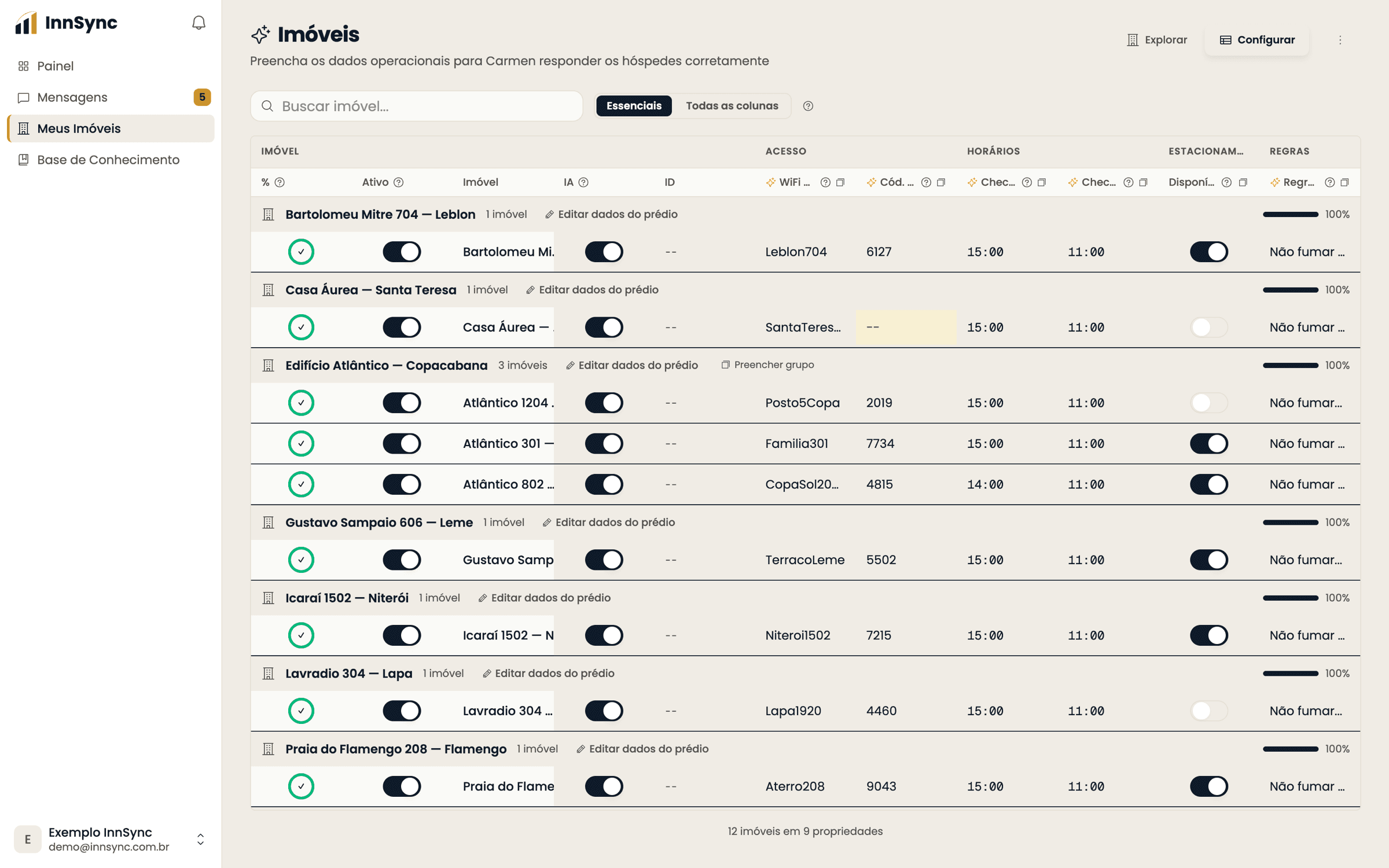
Properties grouped by building — this is where the answers come from.
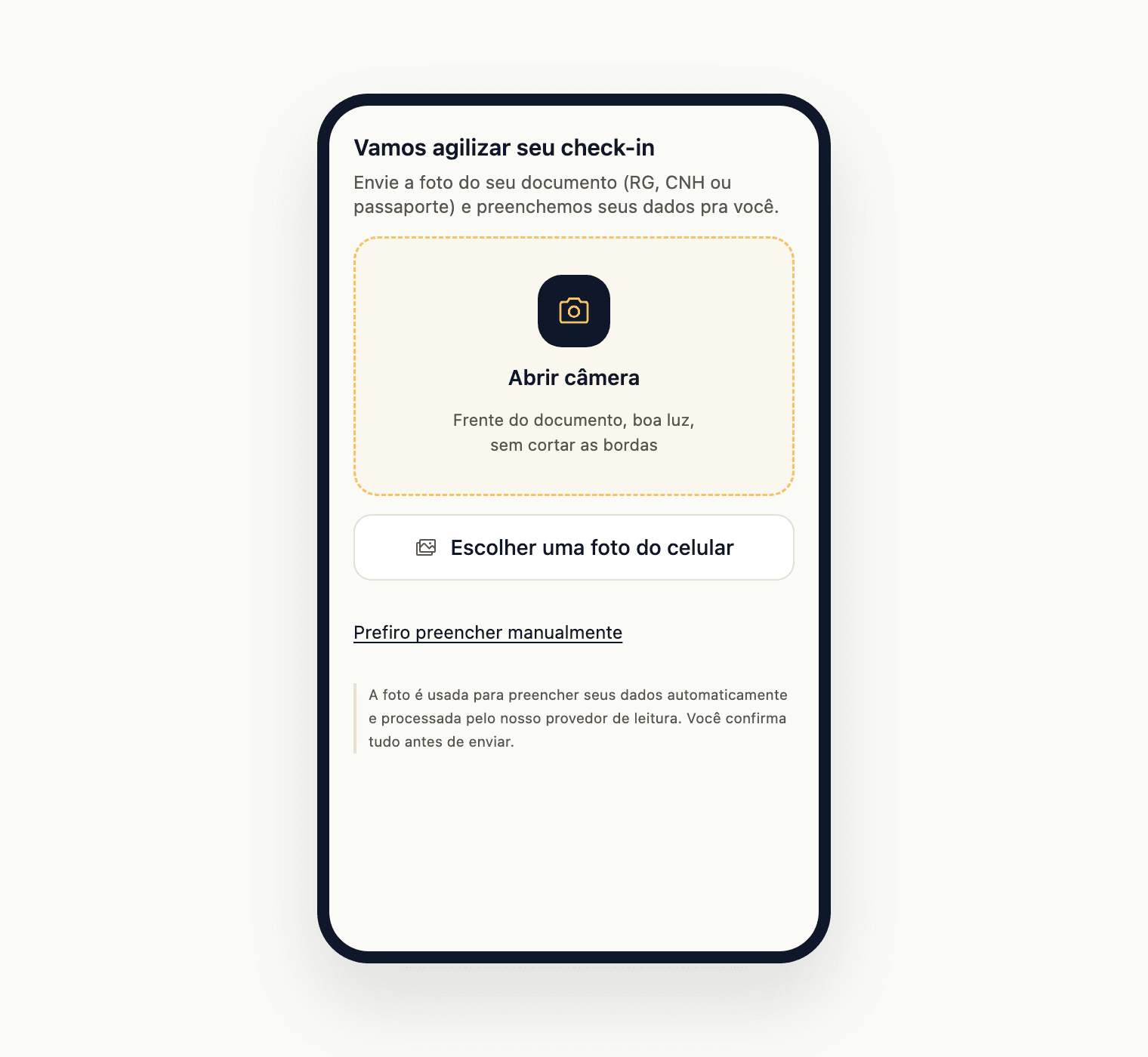
The guest check-in, from their own phone.
Real screens from the product. The interface also runs in English.
What you get
Live PMS context
Carmen checks booking details, availability, rates, and property rules available through your PMS connection before replying.
Review before sending
Review Mode holds every Carmen reply for your team to view, edit, and approve before it sends.
PMS stays central
InnSync enhances your PMS while your PMS remains the source of booking and property data.
InnSync has become essential to our growth.
 Daniel and Thales at QuarterShort-term rental management
Frequently asked questions
Start with your property
Create your account and tell us how you manage bookings. Connections depend on the setup available for your operation.
Creating an account does not activate channels or migrate bookings.